Solhun Logo
solhun
macOS Desktop App
Open Source

Your CLI Agents,
All in One Place

Claude Code, Codex CLI, Gemini CLI — manage them all.Organize projects, switch editors, and stay in control of your desktop agents.

GitHub
Background pattern decoration

CLI Manager v1.10 — let an AI open and drive sessions you can watch, through the new AI Control API.

Key Features

Built for developers who juggle multiple AI agents

Stop switching between terminals and losing context.CLI Manager keeps everything organized in one powerful workspace.
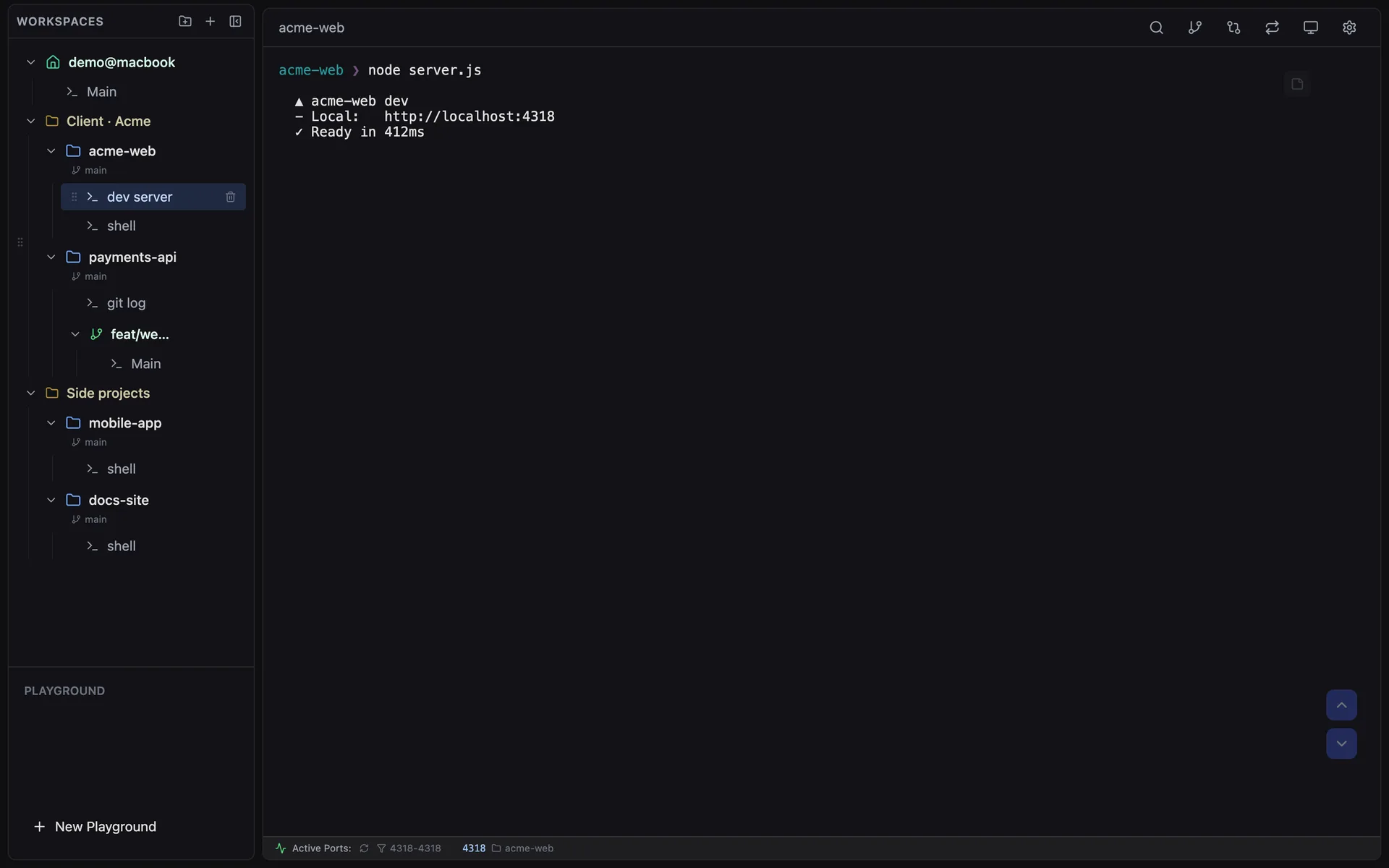
All CLI Agents, One Dashboard
Claude Code, Codex CLI, Gemini CLI and plain shells live side by side in one sidebar. Group projects into folders, name each session by its role, and switch with a shortcut — every session keeps running while you look elsewhere.
Learn more →
CLI Manager sidebar with folders, workspaces and sessions, and a running dev server
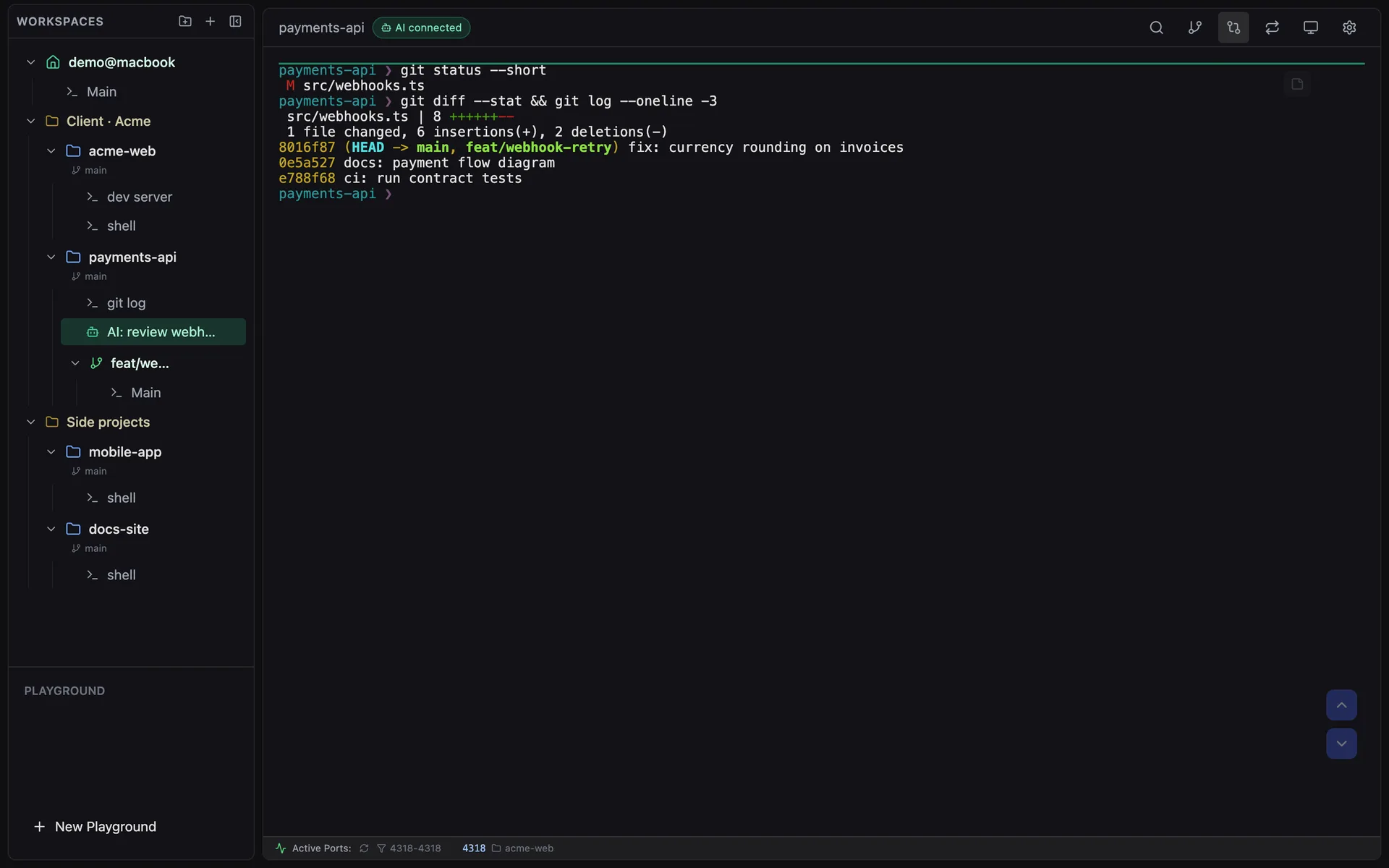
Let an AI Drive a Terminal You Can Watch
With the AI Control API, Claude Code, Codex or a script can open sessions in CLI Manager, send prompts and read the screen. They are ordinary terminals — green in the sidebar, marked “AI connected” — and you can type into them or take them back at any time.
Read the AI Control API guide →
A session opened through the AI Control API, shown in green with an AI connected badge
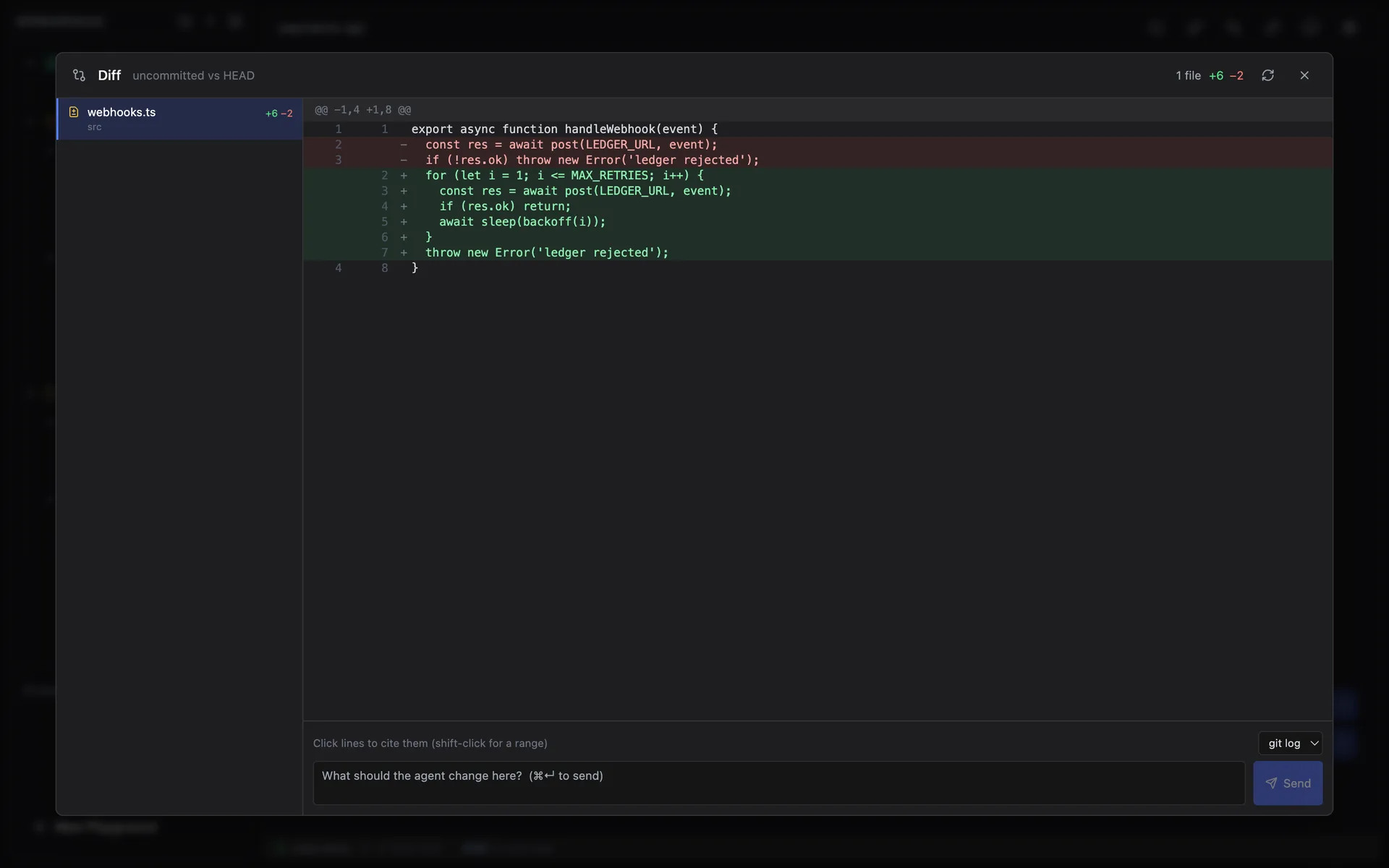
Review Agent Changes In-App
Open the diff for any workspace, select lines, and send a comment — with file and line numbers — straight back to the agent's terminal. Worktrees compare against the branch they forked from, including new files.
Diff review window with added and removed lines and a comment box that sends to a terminal
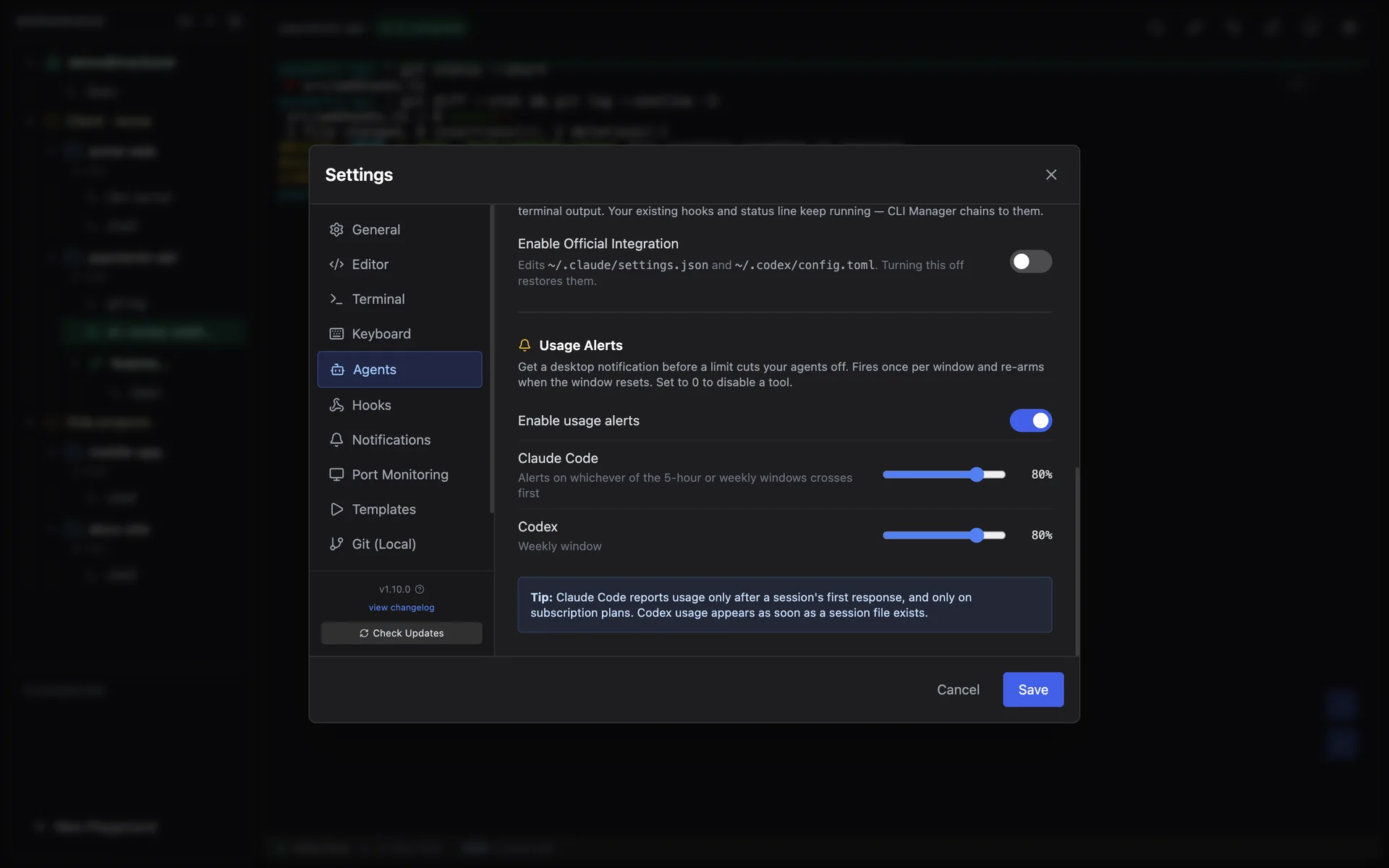
Know When an Agent Needs You
Session status comes from official Claude Code and Codex hooks, so a permission prompt is never mistaken for a finished task. Usage alerts warn you before the 5-hour or weekly limit cuts your agent off.
See what's new →
Agents settings with official hook integration and usage alert thresholds for Claude Code and Codex
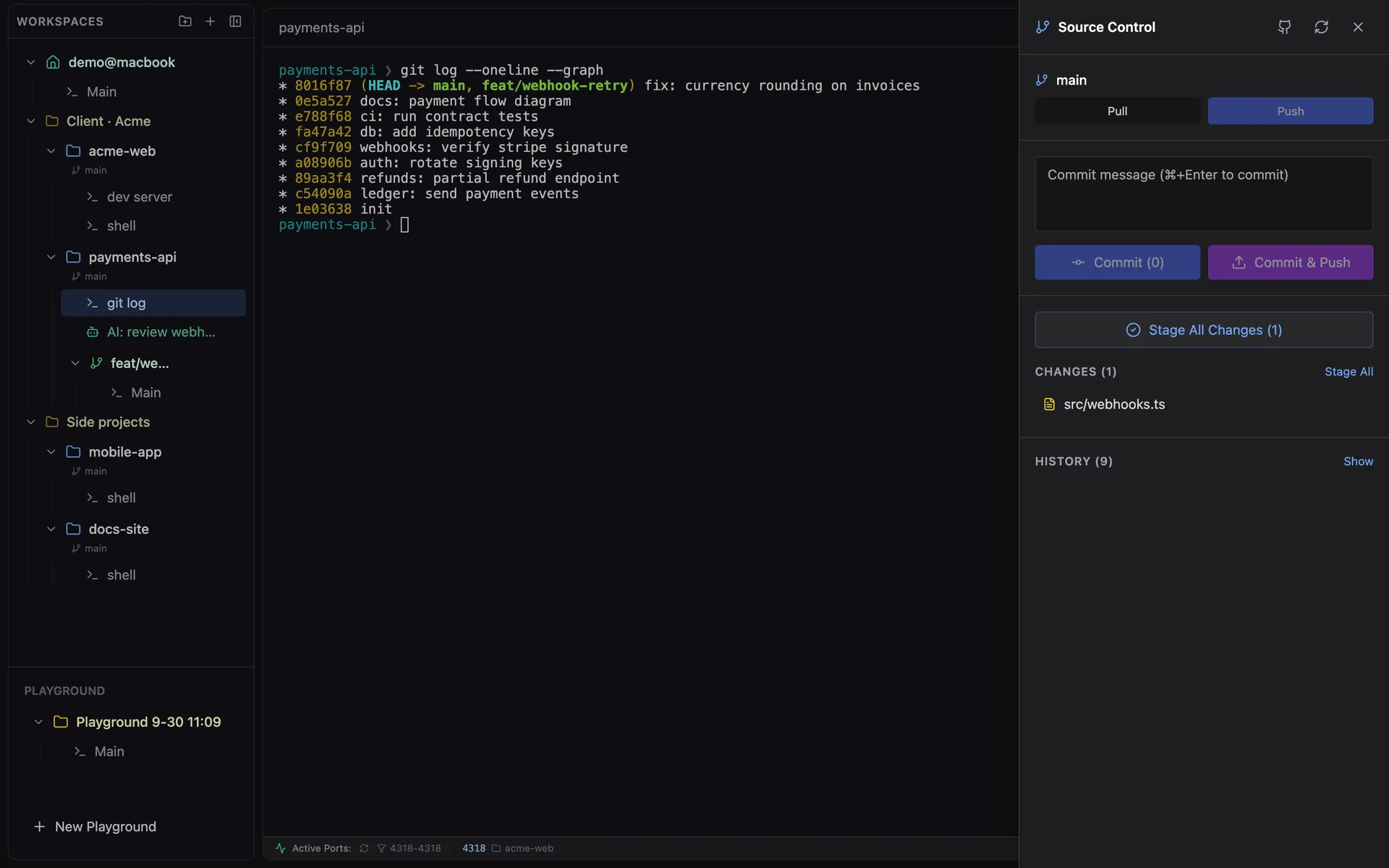
Worktrees and Git, Built In
Create a Git worktree and it becomes its own workspace with its own sessions. Stage, commit, push and browse history from the Source Control panel — no commands to remember.
See the gallery →
Source Control panel next to a git log, with a worktree branch in the sidebar
A Memo Pad for Every Session
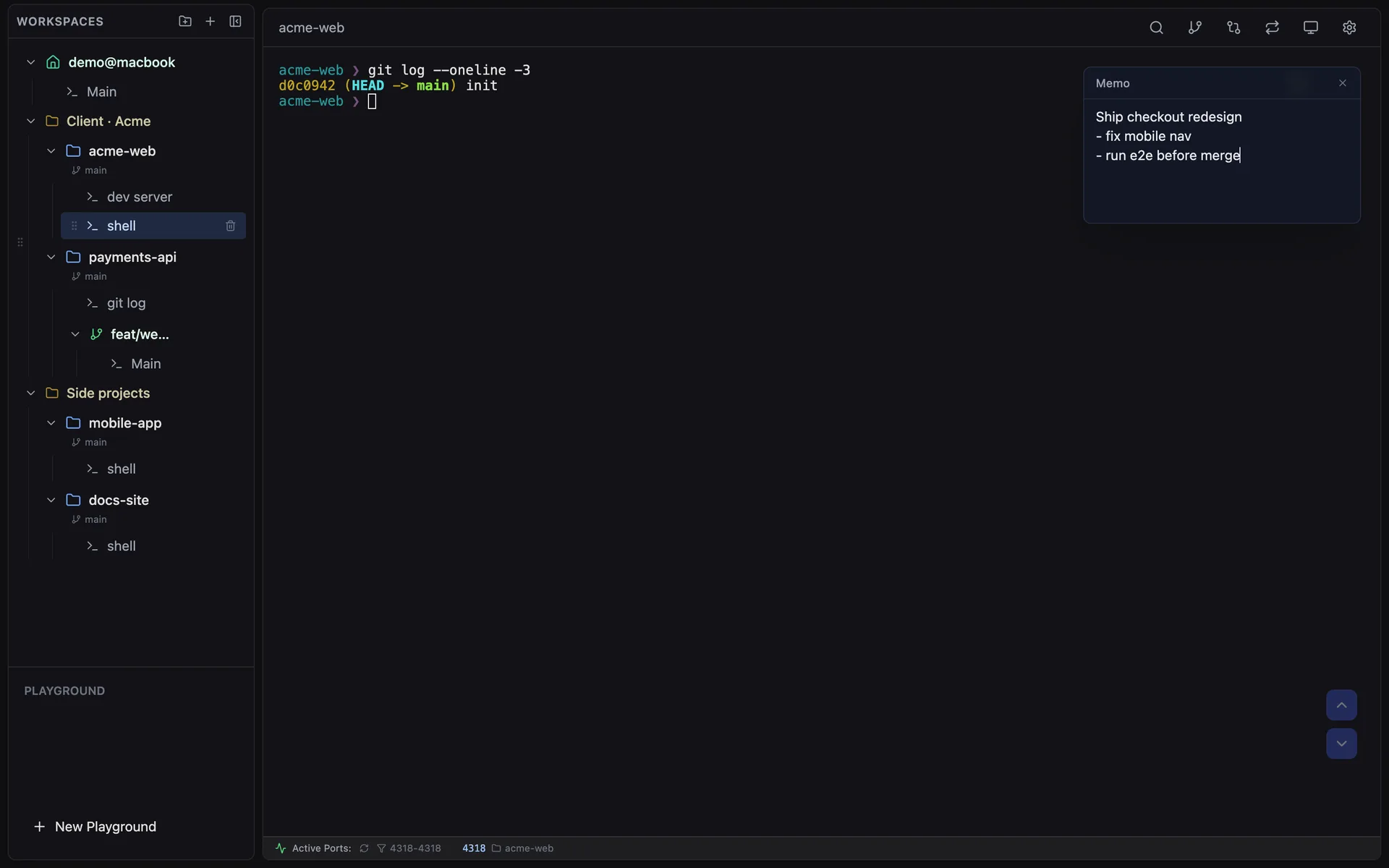
Press ⌘J to write down what a session is for. Memos save as you type, stay with the session across restarts, and an AI working through the Control API can read them.
Session memo pad open over a terminal

Recently shipped

What changed in the last few releases. Every detail lives in the changelog.

  1. v1.10.0Sep 29, 2026

    Sidebar folder ordering & steadier AI sessions

    Drag sidebar folders into any order (kept across restarts). The AI Control API can now read session memos, and prompts no longer get lost under heavy load or right after Esc.

  2. v1.9.1Sep 25, 2026

    Session resume & focus fixes

    Sessions launched from shell aliases or templates resume the same conversation after a restart, and the AI no longer steals your keyboard focus when it shows a session.

  3. v1.9.0Sep 23, 2026

    AI Control API

    Let an AI open terminal sessions inside CLI Manager, run templates, send prompts and read results — in ordinary terminals you can watch and take over. Off by default, localhost-only, token required.

  4. v1.8.0Sep 12, 2026

    Worktree toggle & link fixes

    Hide worktrees entirely from Settings, turn terminal file links off, and open file paths only on ⌘-click. Reloading worktrees no longer wipes terminal scrollback.

  5. v1.7.0Aug 17, 2026

    Official agent hooks

    Session status comes from Claude Code and Codex hook events instead of guessing from terminal output — plus usage-limit meters and an in-app diff review that sends line comments back to the agent.

  6. v1.6.0Jun 23, 2026

    Loop Dashboard

    A dedicated window to watch Claude Code /loop sessions per project: iteration count, status and timing at a glance.

Full changelog →
“Very nicely done! It is so cool we can build our own tooling around our own development workflows. I think this is future where every dev has their own custom made tools bespoke to their flow. Also great UI”
— Otherwise_P*******
Frequently Asked Questions
Everything you need to know aboutmanaging your CLI agents with Solhun.
Solhun is a manager app that lets you manage multiple CLI agents (Claude Code, Gemini CLI, Codex, etc.) and projects all in one place.
You can add any CLI tool like Claude Code, Gemini CLI, Codex, and even apps. Switch freely between them with no vendor lock-in.
Yes. CLI Manager is free and open source under the MIT license (since v1.5.0). Download the macOS build or build it from the GitHub repository.
Currently, only Mac is supported. Windows is coming soon. Linux is not yet on the roadmap.
Yes, if you turn it on. The AI Control API (Settings > Agents, off by default) lets Claude Code, Codex or a script open terminal sessions, send prompts and read the screen over a local-only, token-protected connection. It can only touch sessions it opened, and you can disconnect it from any session.
Solhun doesn't send any data externally. Everything is processed locally, and it's Apple notarized for your security.
Ready to revolutionize with AI Agents?
Manage Git worktrees effortlessly, track ports across projects,
and launch complex workflows with terminal templates.
GitHub